MultiViz 3.0 Release Note
Welcome to MultiViz 3.0! Most of what's in this release came directly from you. Feedback from customers using MultiViz day to day shaped almost every feature below, so consider this a "you asked, we listened" release more than anything else.
It's also a different kind of release than the last few. Recent updates mostly went deeper into the analysis page: more detail, more control, more for the analyst already comfortable reading a spectrum. MultiViz 3.0 goes the other direction. It's about how much of the picture you can see before you ever open a spectrum.
A redesigned site dashboard
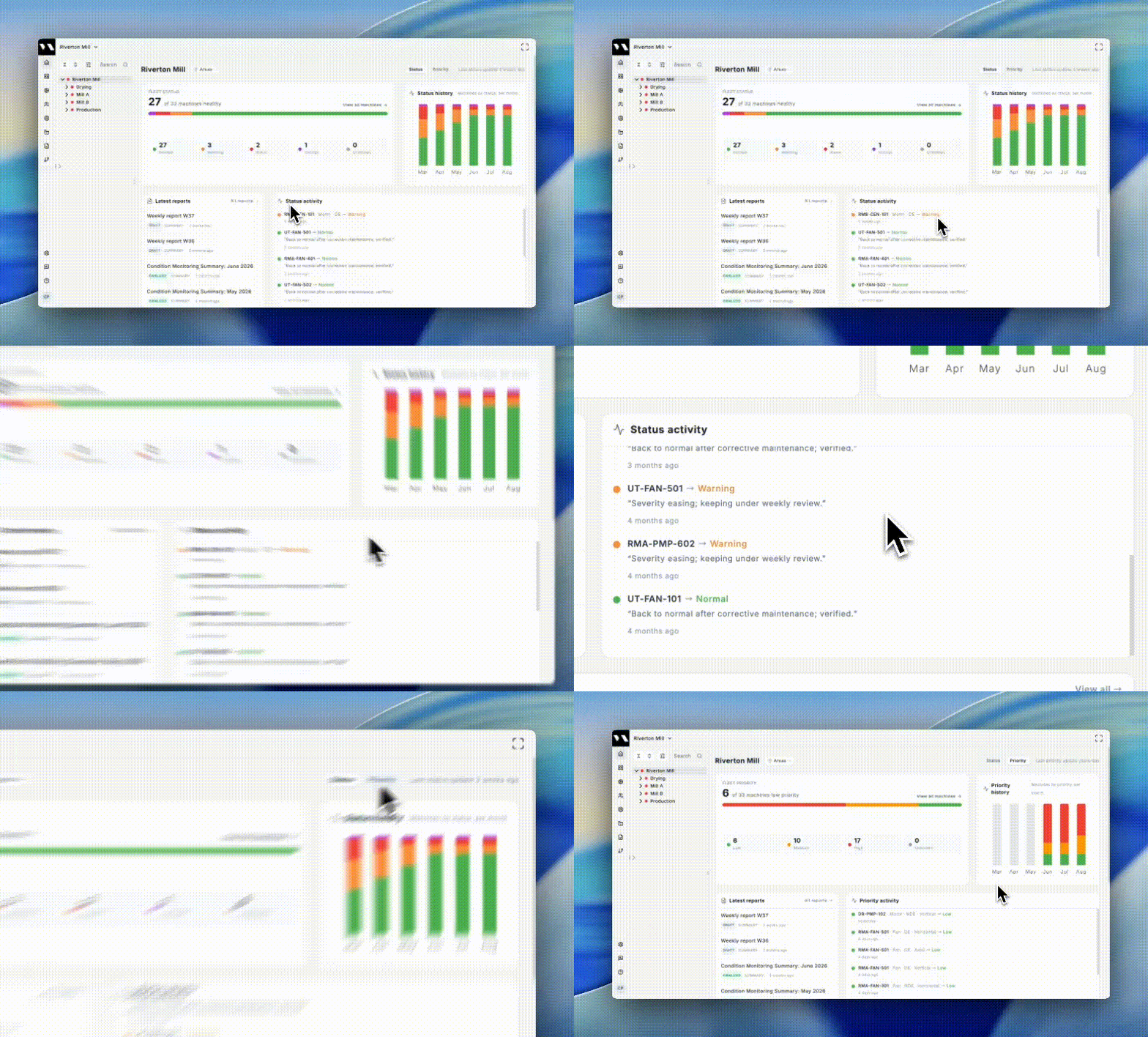
Before: Focus on a dense list with all machines, their priorities and status.
Now: The site page opens with four cards. Fleet Priority gives an at-a-glance breakdown of every machine on site. Priority history shows how that breakdown has moved, month by month. Priority activity surfaces the most recent changes across the fleet. Latest reports keeps your most recent reports one click away. A single toggle in the top right switches the first three cards to their status equivalents — Fleet Status, Status history, Status activity — so you can look at the fleet through whichever lens matters to your team, with reports always visible either way.
The machine list you already know hasn't gone anywhere. It's still on the site page, below the cards, and on the Machines page alongside the new card view.
Findings and recommendations, now connected to the report
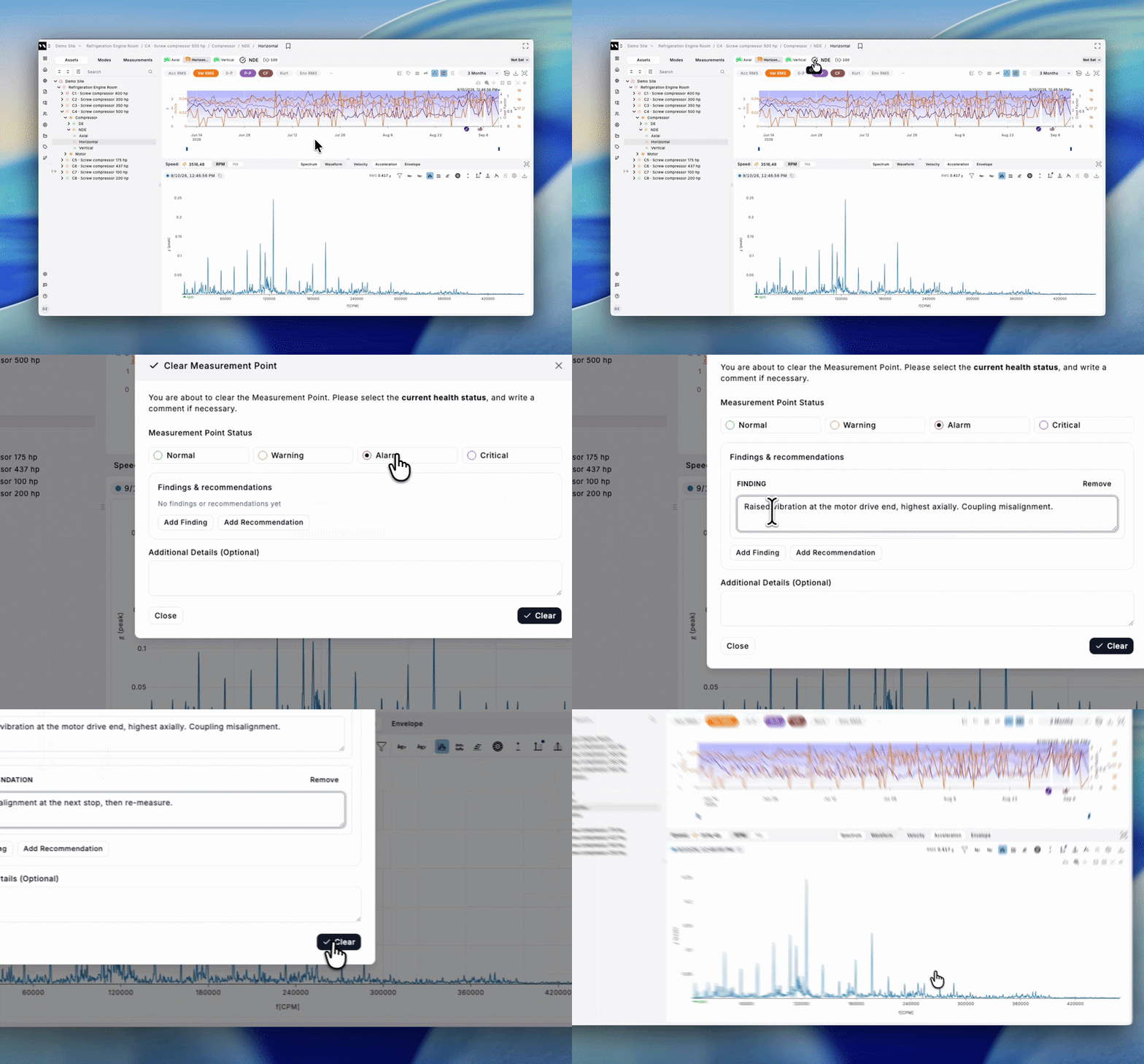
Before: You could always leave a comment about your findings. The problem was where they lived: as notes attached to individual points on the graph in the analysis page.
Now: When you clear the priority, there are dedicated fields for findings and recommendations. They feed directly into the machine's history, and from there into the report. Nothing has to be hunted down or copied over manually.
Your existing point comments stay exactly where they are. They're your working notes, and they remain internal. Findings and recommendations are a separate, deliberately customer-facing record — what you concluded and what you advise — and only those flow into the report.
The whole site's machines, grouped your way
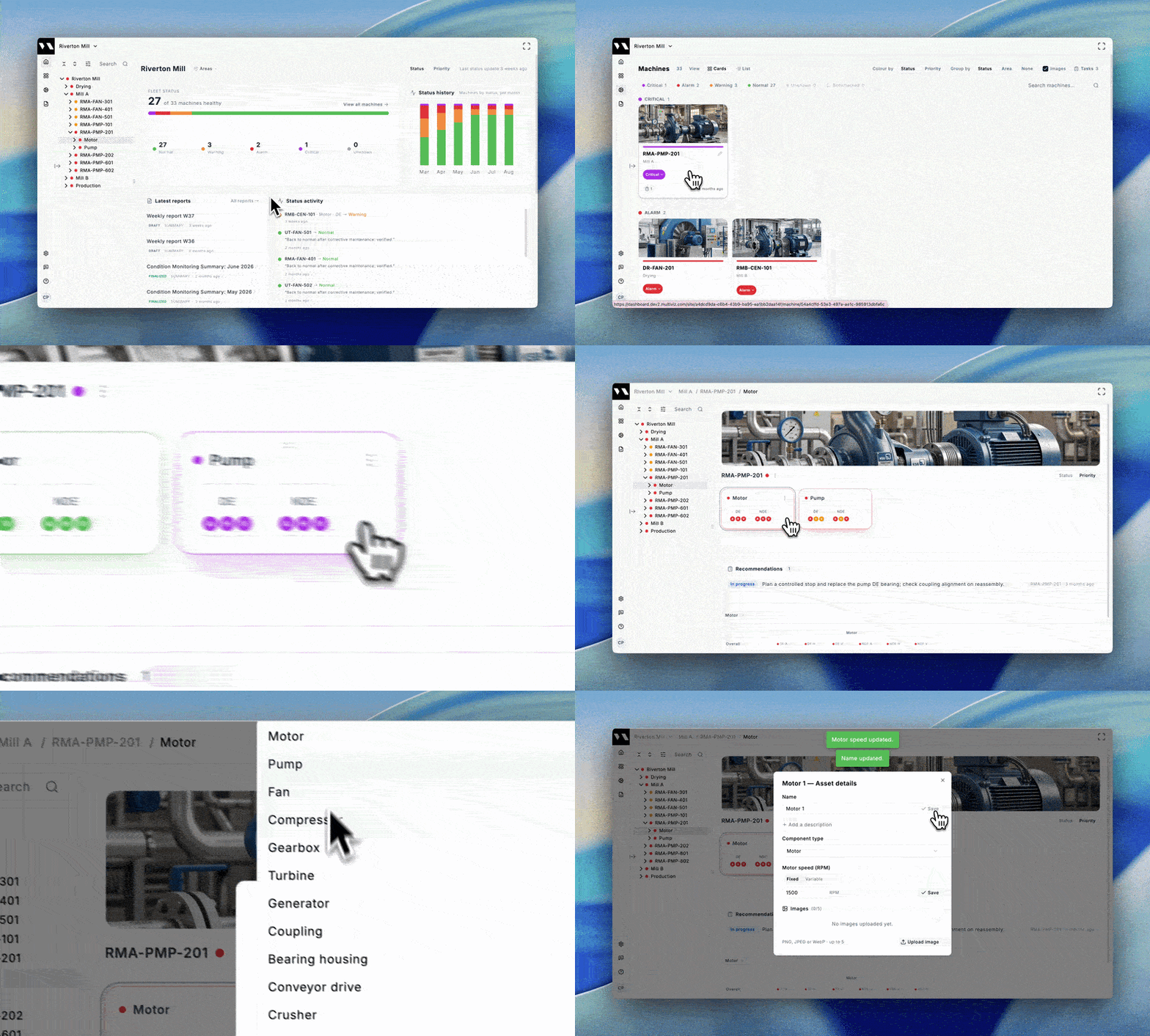
The dense list was your main view of the fleet. The same fleet is now also available on the Machines page as visual cards with photos, and you can group them by status, priority, or area. The list is still there — click the "List" button to switch back.
.gif)
One page for the whole machine
Each machine now also has its own page showing its full train and components. Component type (motor, pump, fan) and running speed (RPM) are editable, giving the whole team shared context instead of information held by one analyst.
Sensor trends, updated far more often than waveforms
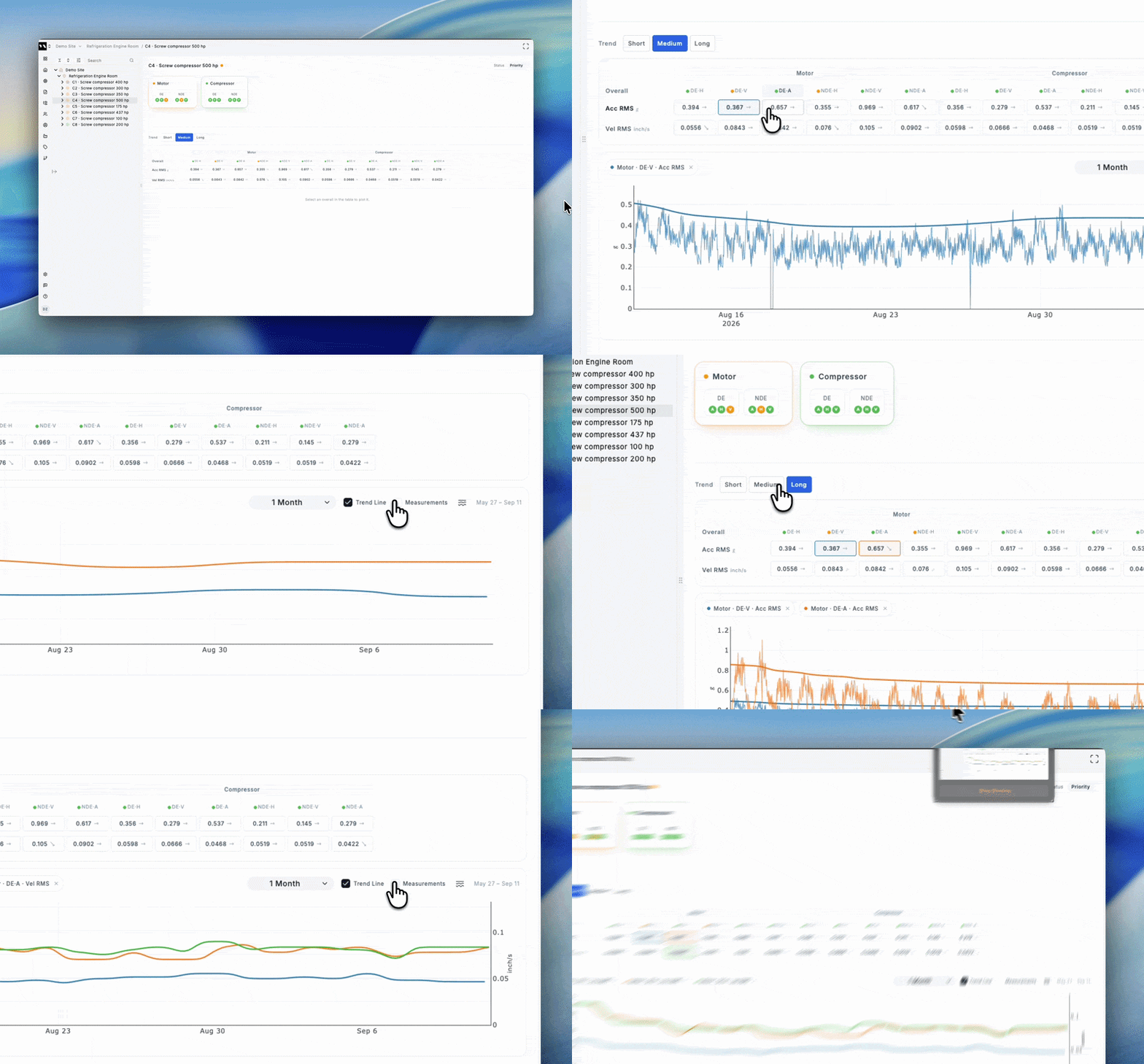
Every measuring point and axis now shows its sensor trends directly on the machine page — acceleration RMS, velocity RMS, temperature, and, depending on your sensors, values like battery level. These overalls arrive much more frequently than full waveforms, so a developing change shows up here well before the next spectrum is due.
Open any trend and you'll see the normal operating band MultiViz has learned for that point, which tells you at a glance whether a rise is ordinary variation or a real departure. And because every point and axis sits on one page, you get the whole machine at once instead of stepping through sensors and axes one by one.
What stays the same
The deep-analysis page: spectra, waveforms, KPI plots, cursors, and alert clearing. Nothing was removed, and nothing about how an analyst interprets data has changed. What changed is how much you can see, and how much of your own past work is put to use, before you ever have to.
We're genuinely happy with how this release came together, and we hope it makes as much of a difference for you day to day as it has for the customers who've already seen it. Questions about any of this? Reach out to your account manager at support@vikinganalytics.se.